ããã¯åœ¹ã«ç«ã¡ãŸããã?
Unable to add a music library in the SoundTouch app | CineMate® 120 home theater system
Which error code or message appears?
Cannot access your music library. (1602) â NAS library - controller action failed. Music server is detected but interactions are blocked
If your music is on a USB drive, add it to your iTunes or Windows Media Player library, or move the files to the computer hard drive.
The SoundTouch app cannot directly access music libraries stored on a USB drive. However, if you add the files on the USB drive to the Windows Media Player or iTunes library that is connected to the SoundTouch app, the files might be accessible in the app. If notâand if storage is availableâmove the files to the internal hard drive of the computer.
ã€ã³ã¿ãŒããã察å¿ããã€ã¹ãæ¥ç¶ãããŠããå Žåã¯ãã³ã³ãã¥ãŒã¿ããåãå€ããŸãã
ããšãã°ãã€ã³ã¿ãŒãããã«æ¥ç¶ã§ãã USB ããã€ã¹ãã³ã³ãã¥ãŒã¿ã«æ¥ç¶ãããŠããå Žå㯠ãããã€ã¹ãæ¥ç¶è§£é€ ããŠåé¡ã解決ãããã©ããã確èªããŸãã äžéšã®ã€ã³ã¿ãŒããã察å¿ããã€ã¹ ã¯ãã³ã³ãã¥ãŒã¿ãŒã®ãããã¯ãŒã¯æ¥ç¶ãçµç±ããŸãã åæ§ ã«ãã€ãŒãµãããã±ãŒãã«ãã³ã³ãã¥ãŒã¿ã®ãããã¯ãŒã¯ããŒãã«æ¥ç¶ããå Žåã¯ãã±ãŒãã«ãåãå€ããŠã¿ãŸãã
Windows ã³ã³ãã¥ãŒã¿ã®å Žåã¯ã SoundTouch ã·ã¹ãã ã§ Media Streaming ãèš±å¯ãããŠããããšã確èªããŸãã
On Mac computers, disable the option to put the hard drive to sleep.
If the computer puts to sleep the hard drive that contains your music library, your SoundTouch app and products will not be able to access the library.
PC/Macã¢ããªãŸãã¯ã³ã³ãã¥ãŒã¿ãŒã«ä¿åããããã¥ãŒãžãã¯ã©ã€ãã©ãªã䜿çšããŠããå Žåã¯ãåé¡ãã³ã³ãã¥ãŒã¿ãŒã®ã»ãã¥ãªãã£èšå®ã«é¢é£ããŠãããã©ãã確èªããŸãã
éèŠ: ã䜿ãã®ã³ã³ãã¥ãŒã¿ãŒã®ã»ãã¥ãªãã£ãœãããŠã§ã¢ã¯ããããã¯ãŒã¯ãšã€ã³ã¿ãŒãããéã®ä¿è·ãæäŸããŸãããã®ææ¡ã詊ãåã«ãã»ãã¥ãªãã£ãœãããŠã§ã¢ãäžæçã«ç¡å¹ã«ããŠãå®å
šãã©ãããã確èªãã ãããåé¡ããªãå Žåã¯ã以äžãã詊ããã ããã
ã䜿ãã®ã³ã³ãã¥ãŒã¿ãŒã§ããã¡ã€ã¢ãŠã©ãŒã«ãŸãã¯ã»ãã¥ãªãã£ãœãããŠã§ã¢ãäžã€ãã€äžæçã«ç¡å¹ã«ããŠãã ããããããããç¡å¹ã«ãããšãã«ããã©ãŒãã³ã¹ãåäžããå Žåãåé¡ã¯ãã®ãœãããŠã§ã¢ã®èšå®ã«é¢é£ããŠããå¯èœæ§ããããŸããç¡å¹ã«ãããã¹ãŠã®ã»ãã¥ãªãã£ãœãããŠã§ã¢ãå床æå¹ã«ããŠãã ããããã®åŸãããã©ãŒãã³ã¹ã«åœ±é¿ãäžããŠãããœãããŠã§ã¢ã®èšå®ã§ãSoundTouchã¢ããªãšSoundTouchãã¥ãŒãžãã¯ãµãŒããŒããããã¯å¯Ÿè±¡å€ãšããŠè¿œå ããŠãã ãããPC/Mac ã¢ããªã䜿çšããŠããå Žåã¯ããŠã€ã«ã¹å¯Ÿçãœããããã¡ã€ã¢ãŠã©ãŒã«ãœããã§ SoundTouch ã®äŸå€ã远å ããŠãã ããã
ã³ã³ãã¥ãŒã¿ãŒã®ãã¡ã€ã¢ãŠã©ãŒã«ãã»ãã¥ãªãã£ãœãããŠã§ã¢ã§SoundTouchãžã®ã¢ã¯ã»ã¹èš±å¯ãæ±ããããå Žåã¯ãã¢ã¯ã»ã¹ãèš±å¯ããŠãã ãããã¢ã¯ã»ã¹ãæåŠãããšãSoundTouchã·ã¹ãã ããœãããŠã§ã¢ã®æ©èœãå¶éãããŸããæ¢ã«ã¢ã¯ã»ã¹ãæåŠããå Žåã¯ãSoundTouchã¢ããªãã¢ã³ã€ã³ã¹ããŒã«ããŠåã€ã³ã¹ããŒã«ããã¢ããªãå床éããéã«ããã³ããã衚瀺ãããå Žåã¯ãã¢ã¯ã»ã¹ãèš±å¯ããŠãã ãããããã³ããã衚瀺ãããªãå Žåã¯ãã»ãã¥ãªãã£ãœãããŠã§ã¢ã®èšå®ç»é¢ã§SoundTouchã¢ããªãšSoundTouchãã¥ãŒãžãã¯ãµãŒããŒããããã¯é€å€ããã°ã©ã ãšããŠè¿œå ããŠãã ããã
SoundTouch App ãš Music Server ãéããŠãããã¢ããªãå床éããŸãã
eapp ãåèµ·åãããšãæ¥ç¶ããã³ããã©ãŒãã³ã¹ã®åé¡ã解決ããå ŽåããããŸãã 鳿¥œãµãŒããŒãéããæäœã¯ãã¢ããªãéããæäœãšã¯å¥ã®æäœã§ãããã®æé ã«ã€ããŠã¯ ãã SoundTouch Music Server ãéããããåç
§ããŠãã ãã
鳿¥œãµãŒããŒãå®è¡ãããŠããªãå Žåã¯ãã¢ããªãåèµ·å ãããš SoundTouch Music Server ãåèµ·åããŸãã
ã«ãŒã¿ãŒãåèµ·åããŠãã ããã
ã«ãŒã¿ãŒã¯ã³ã³ãã¥ãŒã¿ãŒã®åèµ·åã®ããã«ãæã
ãªã»ãããå¿
èŠã«ãªãããšããããŸããã«ãŒã¿ãŒã®é»æºã30ç§éåãããã®åŸèµ·åããŠæ¥ç¶ãå®äºãããŸã§ãåŸ
ã¡ãã ãããïŒæ³šïŒãªã»ããäžã¯ã€ã³ã¿ãŒãããã«æ¥ç¶ãããŠãããã¹ãŠã®ããã€ã¹ã®éä¿¡ãäžæçã«äžæãããŸããïŒ
åé¡ãã«ãŒã¿ãŒã®ãã¡ã€ã¢ãŠã©ãŒã«èšå®ã«é¢é£ããŠããã確èªããŠãã ããã
éèŠïŒ ãã¡ã€ã¢ãŠã©ãŒã«ã¯ãããã¯ãŒã¯ãšã€ã³ã¿ãŒãããã®éãä¿è·ããŸãããã®ææ¡ã詊ãåã«ããã¡ã€ã¢ãŠã©ãŒã«ãäžæçã«ç¡å¹ã«ããŠãå®å
šãã©ãããæ€èšãã ãããå¿é
ããªãå Žåã¯ã以äžãã詊ããã ããã
ã«ãŒã¿ãŒã«ãã°ã€ã³ããã«ãŒã¿ãŒèšå®ã§ãã¡ã€ã¢ãŠã©ãŒã«ãç¡å¹ã«ããŠãã ããããã¡ã€ã¢ãŠã©ãŒã«ãç¡å¹ã«ããŠããéã«ããã©ãŒãã³ã¹ãåäžããå Žåãåé¡ã¯ãã¡ã€ã¢ãŠã©ãŒã«ã®èšå®ã«é¢é£ããŠããå¯èœæ§ããããŸãããã¡ã€ã¢ãŠã©ãŒã«ãå床æå¹ã«ããã«ãŒã¿ãŒã®ã¡ãã¥ãŒã§å©çšå¯èœãªãã¡ã€ã¢ãŠã©ãŒã«èšå®ã確èªããŠãã ããããã©ãã«ã·ã¥ãŒãã£ã³ã°äžã«ã«ãŒã¿ãŒã®èšå®ã倿Žããå Žåã¯ãå¿ ãã«ãŒã¿ãŒãåèµ·åããŠãã ããã
äžéšã®ã«ãŒã¿ãŒã¯ãåèµ·åããªããšç¹å®ã®å€æŽãé©çšãããªãå ŽåããããŸããã«ãŒã¿ãŒã®é»æºã30ç§éæããŠãã忥ç¶ããèµ·åãããããäžåºŠã詊ããã ããã
Unable to add your music library. (1608) â NAS library - server not found. Music server is undetectable or unreachable
If your music is on a USB drive, add it to your iTunes or Windows Media Player library, or move the files to the computer hard drive.
The SoundTouch app cannot directly access music libraries stored on a USB drive. However, if you add the files on the USB drive to the Windows Media Player or iTunes library that is connected to the SoundTouch app, the files might be accessible in the app. If notâand if storage is availableâmove the files to the internal hard drive of the computer.
SoundTouch App ãš Music Server ãéããŠãããã¢ããªãå床éããŸãã
eapp ãåèµ·åãããšãæ¥ç¶ããã³ããã©ãŒãã³ã¹ã®åé¡ã解決ããå ŽåããããŸãã 鳿¥œãµãŒããŒãéããæäœã¯ãã¢ããªãéããæäœãšã¯å¥ã®æäœã§ãããã®æé ã«ã€ããŠã¯ ãã SoundTouch Music Server ãéããããåç
§ããŠãã ãã
鳿¥œãµãŒããŒãå®è¡ãããŠããªãå Žåã¯ãã¢ããªãåèµ·å ãããš SoundTouch Music Server ãåèµ·åããŸãã
On the computer hosting the music library, verify the SoundTouch app is up to date.
If the app version in use on the computer is less than the PC/Mac SoundTouch App version listed in Software and firmware versions, download and install the latest version of the app from www.bose.com/soundtouch_app ("soundtouchapp" or "soundtouch-app" work in place of "soundtouch_app"). For info determining app version, see Checking the software or firmware version.
Computer Music library server shutdown. (4201) â Computer library - Server shutdown (i.e. crashed or got turned off) during playback
On Mac computers, disable the option to put the hard drive to sleep.
If the computer puts to sleep the hard drive that contains your music library, your SoundTouch app and products will not be able to access the library.
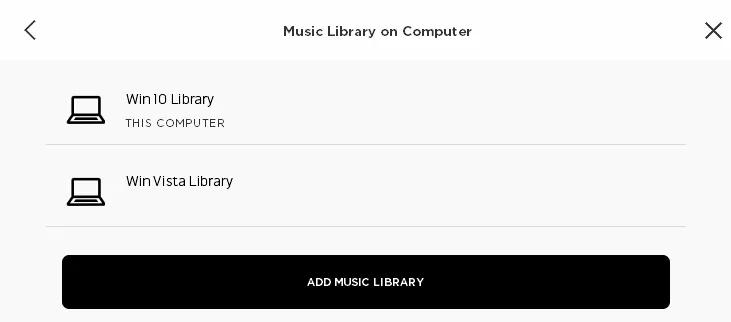
Determine if the music library is listed as being on "This computer".
Click Settings > Music Services > Music Library on Computer to view all music libraries on this SoundTouch account

- If only one library appears, "This computer" should appear under the library name. If it doesn't, the library has been set up on another computer; Be sure that computer is on and not in a hibernation mode
- If more than on one library appears, be sure the one indicated as "This computer" is the one being selected. If any other library is being selected, that library has been set up on another computer; Be sure that computer is on and not in a hibernation mode
On the computer hosting the music library, verify the SoundTouch app is up to date.
If the app version in use on the computer is less than the PC/Mac SoundTouch App version listed in Software and firmware versions, download and install the latest version of the app from www.bose.com/soundtouch_app ("soundtouchapp" or "soundtouch-app" work in place of "soundtouch_app"). For info determining app version, see Checking the software or firmware version.
SoundTouch App ãš Music Server ãéããŠãããã¢ããªãå床éããŸãã
eapp ãåèµ·åãããšãæ¥ç¶ããã³ããã©ãŒãã³ã¹ã®åé¡ã解決ããå ŽåããããŸãã 鳿¥œãµãŒããŒãéããæäœã¯ãã¢ããªãéããæäœãšã¯å¥ã®æäœã§ãããã®æé ã«ã€ããŠã¯ ãã SoundTouch Music Server ãéããããåç
§ããŠãã ãã
鳿¥œãµãŒããŒãå®è¡ãããŠããªãå Žåã¯ãã¢ããªãåèµ·å ãããš SoundTouch Music Server ãåèµ·åããŸãã
ã³ã³ãã¥ãŒã¿ãŒãåèµ·åããŠãã ããã
ã³ã³ãã¥ãŒã¿ãŒã®é»æºãäžåºŠå®å
šã«åããå床å
¥ããŠåèµ·åããŠãã ãããããã«ããã軜埮ãªåŠçã®åé¡ãè§£æ¶ãããå ŽåããããŸãã
鳿¥œã©ã€ãã©ãªããã¹ãããŠããã³ã³ãã¥ãŒã¿ãã·ã¹ãã ãšåããããã¯ãŒã¯ã«æ¥ç¶ãããŠããããšã確èªããŸãã
To stream audio from the computer's music library to the SoundTouch system, both the system and the computer must be connected to the same network. ãã²ã¹ãããããã¯ãŒã¯ãšãã¹ããããã¯ãŒã¯ãåãã«ãŒã¿ãŒãŸãã¯ã¢ã¯ã»ã¹ãã€ã³ãçµç±ã§éä¿¡ããŠããå Žåã§ããããããåããããã¯ãŒã¯ã§ãªãå¯èœæ§ããããŸãã
- ã·ã¹ãã æ å ±ç»é¢ã®ã¡ãã¥ãŒé ç® 2.3 ã衚瀺ããŠã SoundTouch ã·ã¹ãã ãæ¥ç¶ãããŠãããããã¯ãŒã¯ã®ååã確èªããŸãã 詳现ã«ã€ããŠã¯ ããã·ã¹ãã æ å ±ç»é¢ãžã®ã¢ã¯ã»ã¹ããåç §ããŠãã ãã
- ã³ã³ãã¥ãŒã¿ãã®ãããã¯ãŒã¯ã«æ¥ç¶ãããŠãããã©ããã確èªããŸã åãååãããã®æ¥ç¶ãã«èšèŒãããŠããæé ã«åŸããŸã ã³ã³ãã¥ãŒã¿ãã Wi-Fi ãããã¯ãŒã¯ã«æ¥ç¶ ããŠãã©ã®ãããã¯ãŒã¯ã䜿çšããŠãããã確èªããŸã ã¯ã«æ¥ç¶ãããŠããŸã
- ã³ã³ãã¥ãŒã¿ãšã·ã¹ãã ãç°ãªããããã¯ãŒã¯äžã«ããå Žåã¯ããããã®ããã€ã¹ã®ãããã¯ãŒã¯èšå®ãæŽæ°ããå¿ èŠããããŸãã
PC/Macã¢ããªãŸãã¯ã³ã³ãã¥ãŒã¿ãŒã«ä¿åããããã¥ãŒãžãã¯ã©ã€ãã©ãªã䜿çšããŠããå Žåã¯ãåé¡ãã³ã³ãã¥ãŒã¿ãŒã®ã»ãã¥ãªãã£èšå®ã«é¢é£ããŠãããã©ãã確èªããŸãã
éèŠ: ã䜿ãã®ã³ã³ãã¥ãŒã¿ãŒã®ã»ãã¥ãªãã£ãœãããŠã§ã¢ã¯ããããã¯ãŒã¯ãšã€ã³ã¿ãŒãããéã®ä¿è·ãæäŸããŸãããã®ææ¡ã詊ãåã«ãã»ãã¥ãªãã£ãœãããŠã§ã¢ãäžæçã«ç¡å¹ã«ããŠãå®å
šãã©ãããã確èªãã ãããåé¡ããªãå Žåã¯ã以äžãã詊ããã ããã
ã䜿ãã®ã³ã³ãã¥ãŒã¿ãŒã§ããã¡ã€ã¢ãŠã©ãŒã«ãŸãã¯ã»ãã¥ãªãã£ãœãããŠã§ã¢ãäžã€ãã€äžæçã«ç¡å¹ã«ããŠãã ããããããããç¡å¹ã«ãããšãã«ããã©ãŒãã³ã¹ãåäžããå Žåãåé¡ã¯ãã®ãœãããŠã§ã¢ã®èšå®ã«é¢é£ããŠããå¯èœæ§ããããŸããç¡å¹ã«ãããã¹ãŠã®ã»ãã¥ãªãã£ãœãããŠã§ã¢ãå床æå¹ã«ããŠãã ããããã®åŸãããã©ãŒãã³ã¹ã«åœ±é¿ãäžããŠãããœãããŠã§ã¢ã®èšå®ã§ãSoundTouchã¢ããªãšSoundTouchãã¥ãŒãžãã¯ãµãŒããŒããããã¯å¯Ÿè±¡å€ãšããŠè¿œå ããŠãã ãããPC/Mac ã¢ããªã䜿çšããŠããå Žåã¯ããŠã€ã«ã¹å¯Ÿçãœããããã¡ã€ã¢ãŠã©ãŒã«ãœããã§ SoundTouch ã®äŸå€ã远å ããŠãã ããã
ã³ã³ãã¥ãŒã¿ãŒã®ãã¡ã€ã¢ãŠã©ãŒã«ãã»ãã¥ãªãã£ãœãããŠã§ã¢ã§SoundTouchãžã®ã¢ã¯ã»ã¹èš±å¯ãæ±ããããå Žåã¯ãã¢ã¯ã»ã¹ãèš±å¯ããŠãã ãããã¢ã¯ã»ã¹ãæåŠãããšãSoundTouchã·ã¹ãã ããœãããŠã§ã¢ã®æ©èœãå¶éãããŸããæ¢ã«ã¢ã¯ã»ã¹ãæåŠããå Žåã¯ãSoundTouchã¢ããªãã¢ã³ã€ã³ã¹ããŒã«ããŠåã€ã³ã¹ããŒã«ããã¢ããªãå床éããéã«ããã³ããã衚瀺ãããå Žåã¯ãã¢ã¯ã»ã¹ãèš±å¯ããŠãã ãããããã³ããã衚瀺ãããªãå Žåã¯ãã»ãã¥ãªãã£ãœãããŠã§ã¢ã®èšå®ç»é¢ã§SoundTouchã¢ããªãšSoundTouchãã¥ãŒãžãã¯ãµãŒããŒããããã¯é€å€ããã°ã©ã ãšããŠè¿œå ããŠãã ããã
For Windows computers, enable Network Discovery or use the Private network profile.
When you connect to a network, Windows asks if the network type is Public or Private. If Public is selected, certain securities are applied that can prevent some apps from operating properly. On the computer, go to Network and Sharing and click Change Advanced Settings. Expand your network type (i.e. Public or Private) and set select Turn on network discovery. If it is already selected or you want to change the network type to Private, see Determining and changing the Windows network type.
Windows ã³ã³ãã¥ãŒã¿ã®å Žåã¯ã SoundTouch ã·ã¹ãã ã§ Media Streaming ãèš±å¯ãããŠããããšã確èªããŸãã
Windows 10 ããã€ã¹ã®å Žåã¯ã Windows Media Player ã®ä»£ããã« Groove ã䜿çšããŸãã
Groove ãã¥ãŒãžãã¯ãã¬ãŒã€ãŒã¯ Windows 10 ã«å«ãŸããŠããã Windows Media Player ãšåæ§ã«ãã³ã³ãã¥ãŒã¿ãŒäžã® Windows ãã¥ãŒãžãã¯ã©ã€ãã©ãªå
ã®ãã¡ã€ã«ãã¹ãã£ã³ãã [ èšå® ] ã [ ã·ã¹ãã ] ã [ æ¢å®ã®ã¢ã㪠] ã [ ãã¥ãŒãžãã¯ãã¬ãŒã€ãŒ ] ã®é ã«éžæããŸãᅵᅵ ããã©ã«ããã¬ãŒã€ãŒãšã㊠[ ã°ããŒãŽ ] ãéžæããŠãããå詊è¡ããŠãã ããã
Determine if the product is making a reliable connection to the router.
In the SoundTouch app, go to Menu > Settings > About, then select your product to view product info. Check the RSSI Signal Strength. This number can range from -30 dBm (best signal) to -90 dBm (poor signal). If the connection is poor, consider relocating the router, your product or reducing sources of interference to improve signal.
Tip: You can also check the signal strength of a customer's product by viewing their account in Fenestra.
iTunesã©ã€ãã©ãªã®å Žåã¯ãiTunesã®ç°å¢èšå®ã«ç§»åããä»ã®ã¢ããªã±ãŒã·ã§ã³ã«ããã©ã€ãã©ãªã®å ±æãæå¹ã«ããŠãã ããã
iTunes ãéãã ç°å¢èšå® > 詳现ã«ç§»åããŠã iTunes ã©ã€ãã©ãª XML ãã»ãã®ã¢ããªã±ãŒã·ã§ã³ãšå
±æããªã³ã«ããŠãã ããããã®ãªãã·ã§ã³ããªãã®å ŽåãSoundTouch ãªã©ã®ä»ã®ã¢ããªã±ãŒã·ã§ã³ã¯ iTunes ã©ã€ãã©ãªãèŠã€ããããšãã§ããŸãããïŒæ³šïŒãã®ãªãã·ã§ã³ã¯ iTunes ããŒãžã§ã³ 12.2 以éã§å©çšã§ããŸããïŒ
ã«ãŒã¿ãŒãåèµ·åããŠãã ããã
ã«ãŒã¿ãŒã¯ã³ã³ãã¥ãŒã¿ãŒã®åèµ·åã®ããã«ãæã
ãªã»ãããå¿
èŠã«ãªãããšããããŸããã«ãŒã¿ãŒã®é»æºã30ç§éåãããã®åŸèµ·åããŠæ¥ç¶ãå®äºãããŸã§ãåŸ
ã¡ãã ãããïŒæ³šïŒãªã»ããäžã¯ã€ã³ã¿ãŒãããã«æ¥ç¶ãããŠãããã¹ãŠã®ããã€ã¹ã®éä¿¡ãäžæçã«äžæãããŸããïŒ
ã³ã³ãã¥ãŒã¿ã«æ¥ç¶ãããŠããå Žåã¯ããããã¯ãŒã¯æ¥ç¶ãããŠããããã€ã¹ããã¹ãŠåãå€ããŸãã
Wi-Fi ãŸã㯠3G/4G æ©èœãæèŒããããã€ã¹ïŒäŸ ã¹ããŒããã©ã³ãã¿ãã¬ããããããã¹ããããªã©ïŒã ã³ã³ãã¥ãŒã¿ãŒã«æ¥ç¶ãããŠããå Žåãã³ã³ãã¥ãŒã¿ãŒã®ãããã¯ãŒã¯æ¥ç¶ãçµç±ããå¯èœæ§ããããŸãã ãã®ãããªããã€ã¹ãåæã ãŸãããå詊è¡ããŠãã ããã
ã€ã³ã¿ãŒããã察å¿ããã€ã¹ãæ¥ç¶ãããŠããå Žåã¯ãã³ã³ãã¥ãŒã¿ããåãå€ããŸãã
ããšãã°ãã€ã³ã¿ãŒãããã«æ¥ç¶ã§ãã USB ããã€ã¹ãã³ã³ãã¥ãŒã¿ã«æ¥ç¶ãããŠããå Žå㯠ãããã€ã¹ãæ¥ç¶è§£é€ ããŠåé¡ã解決ãããã©ããã確èªããŸãã äžéšã®ã€ã³ã¿ãŒããã察å¿ããã€ã¹ ã¯ãã³ã³ãã¥ãŒã¿ãŒã®ãããã¯ãŒã¯æ¥ç¶ãçµç±ããŸãã åæ§ ã«ãã€ãŒãµãããã±ãŒãã«ãã³ã³ãã¥ãŒã¿ã®ãããã¯ãŒã¯ããŒãã«æ¥ç¶ããå Žåã¯ãã±ãŒãã«ãåãå€ããŠã¿ãŸãã
ã¢ããªãå®è¡ããŠããããã€ã¹ã VPN ãŸãã¯ãªã¢ãŒããã¹ã¯ãããæ¥ç¶ã䜿çšããŠããå Žåã¯ãæ¥ç¶ãè§£é€ããŸãã
SoundTouch app ãŸã㯠SoundTouch music server ãå®è¡ããŠããã³ã³ãã¥ãŒã¿ãŒãŸãã¯ããã€ã¹ã VPN ïŒããŒãã£ã«ãã©ã€ããŒããããã¯ãŒã¯ïŒãŸã㯠ãªã¢ãŒããã¹ã¯ããããµãŒãã¹ã䜿çšããŠããå Žåã補åã¯ããã€ã¹ã«æ¥ç¶ãããŸããã VP NAND ãªã¢ãŒãã»ãã¹ã¯ãããã»ãœãããŠã§ã¢ ã¯ãåºæ¬çã«ãããã¯ãŒã¯å
ã®ãããã¯ãŒã¯äžã«ããã€ã¹ãé
眮ããŸãã ãã®ãããã䜿ãã®è£œåã®ãããªã¯ã€ã€ã¬ã¹ããã€ã¹ã§ã¯ããã€ã¹ãæ€åºãããŸããã VPN ãŸãã¯ãªã¢ãŒããã¹ã¯ããããã dveic ãåæããŠãå詊è¡ããŠãã ããã
Log out of any virtual machine or virtual connections running on the computer.
If the computer is being used to connect to the desktop of another computer, virtual machine or server, be sure to log out/disconnect from the session. Such network activity can affect the availabilty of computer and network resources. Check the network or network adapter settings on the computer to see if virtual connections are enabled.
On Windows systems, check for enabled hidden virtual connections. In "Device Manager," select "View Hidden Devices" from the "View" menu. Hidden devices will appear grayed. Right-click them an choose "Disable."
On the compter, disabled any Link Aggregation functionality if it has been enabled.
Link Aggregation (also known as port bonding, bundling or teaming) will need to be disabled in order for a system to access the music server as this creates a virtual network connection that the SoundTouch app and systems cannot communicate through.
Determine if the product is making a reliable connection to the router.
In the SoundTouch app, go to Menu > Settings > About, then select your product to view product info. Check the RSSI Signal Strength. This number can range from -30 dBm (best signal) to -90 dBm (poor signal). If the connection is poor, consider relocating the router, your product or reducing sources of interference to improve signal.
Tip: You can also check the signal strength of a customer's product by viewing their account in Fenestra.
ã«ãŒã¿ã®ãã¡ã€ã¢ãŠã©ãŒã«èšå®ã確èªããŸãã
ã«ãŒã¿ãã¡ã€ã¢ãŠã©ãŒã«ãã¹ããŒã·ã§ã³ã®åçã劚ããŠããå¯èœæ§ããããŸãã ãã¡ã€ã¢ãŠã©ãŒã«ãã¢ã¯ãã£ãã«ãªã£ãŠãããã©ããã確èªããã¢ã¯ãã£ãã«ãªã£ãŠããå Žåã¯ãäœããŸãã¯ãæå°ãã«èšå®ããŠãã¹ãããŸãã ã¹ããŒã·ã§ã³ãäœããã¡ã€ã¢ãŠã©ãŒã«èšå®ã§åäœããå Žåã¯ãã¹ããŒã·ã§ã³ããã¡ã€ã¢ãŠã©ãŒã«ãèµ·åããŠããçç±ã«ã€ããŠã«ãŒã¿ã®è£œé å
ã«åãåãããŠãã ããã
åé¡ãã«ãŒã¿ãŒã®ãã¡ã€ã¢ãŠã©ãŒã«èšå®ã«é¢é£ããŠããã確èªããŠãã ããã
éèŠïŒ ãã¡ã€ã¢ãŠã©ãŒã«ã¯ãããã¯ãŒã¯ãšã€ã³ã¿ãŒãããã®éãä¿è·ããŸãããã®ææ¡ã詊ãåã«ããã¡ã€ã¢ãŠã©ãŒã«ãäžæçã«ç¡å¹ã«ããŠãå®å
šãã©ãããæ€èšãã ãããå¿é
ããªãå Žåã¯ã以äžãã詊ããã ããã
ã«ãŒã¿ãŒã«ãã°ã€ã³ããã«ãŒã¿ãŒèšå®ã§ãã¡ã€ã¢ãŠã©ãŒã«ãç¡å¹ã«ããŠãã ããããã¡ã€ã¢ãŠã©ãŒã«ãç¡å¹ã«ããŠããéã«ããã©ãŒãã³ã¹ãåäžããå Žåãåé¡ã¯ãã¡ã€ã¢ãŠã©ãŒã«ã®èšå®ã«é¢é£ããŠããå¯èœæ§ããããŸãããã¡ã€ã¢ãŠã©ãŒã«ãå床æå¹ã«ããã«ãŒã¿ãŒã®ã¡ãã¥ãŒã§å©çšå¯èœãªãã¡ã€ã¢ãŠã©ãŒã«èšå®ã確èªããŠãã ãããBe sure Internet Connection Sharing is disabled.
For information on accessing and updating this setting, see Disabling Internet Connection Sharing.
Try adding the music library after disabling this setting.
Try logging in with a different user account on your computer, then try the app again.
If you have multiple accounts on your computer, try using another accountâpreferably the admin account. If the issue does not occur on another account, uninstall the SoundTouch app, then download and install the latest version from www.bose.com/soundtouch_app.
ãã¥ãŒãžãã¯ã©ã€ãã©ãªãäžåºŠåé€ããå床远å ããŠãã ããã
詳现ã«ã€ããŠã¯ã 鳿¥œã©ã€ãã©ãªã®åé€ ã®åŸã« ããœã³ã³ãŸãã¯NASãã©ã€ãã«ä¿åããã鳿¥œã©ã€ãã©ãªã®è¿œå ãã芧ãã ããã
Computer music library server error. (4202) â Computer library - Unable to retrieve music from SoundTouch computer music server
On the computer hosting the music library, verify the SoundTouch app is up to date.
If the app version in use on the computer is less than the PC/Mac SoundTouch App version listed in Software and firmware versions, download and install the latest version of the app from www.bose.com/soundtouch_app ("soundtouchapp" or "soundtouch-app" work in place of "soundtouch_app"). For info determining app version, see Checking the software or firmware version.
SoundTouch App ãš Music Server ãéããŠãããã¢ããªãå床éããŸãã
eapp ãåèµ·åãããšãæ¥ç¶ããã³ããã©ãŒãã³ã¹ã®åé¡ã解決ããå ŽåããããŸãã 鳿¥œãµãŒããŒãéããæäœã¯ãã¢ããªãéããæäœãšã¯å¥ã®æäœã§ãããã®æé ã«ã€ããŠã¯ ãã SoundTouch Music Server ãéããããåç
§ããŠãã ãã
鳿¥œãµãŒããŒãå®è¡ãããŠããªãå Žåã¯ãã¢ããªãåèµ·å ãããš SoundTouch Music Server ãåèµ·åããŸãã
PC/Macã¢ããªãŸãã¯ã³ã³ãã¥ãŒã¿ãŒã«ä¿åããããã¥ãŒãžãã¯ã©ã€ãã©ãªã䜿çšããŠããå Žåã¯ãåé¡ãã³ã³ãã¥ãŒã¿ãŒã®ã»ãã¥ãªãã£èšå®ã«é¢é£ããŠãããã©ãã確èªããŸãã
éèŠ: ã䜿ãã®ã³ã³ãã¥ãŒã¿ãŒã®ã»ãã¥ãªãã£ãœãããŠã§ã¢ã¯ããããã¯ãŒã¯ãšã€ã³ã¿ãŒãããéã®ä¿è·ãæäŸããŸãããã®ææ¡ã詊ãåã«ãã»ãã¥ãªãã£ãœãããŠã§ã¢ãäžæçã«ç¡å¹ã«ããŠãå®å
šãã©ãããã確èªãã ãããåé¡ããªãå Žåã¯ã以äžãã詊ããã ããã
ã䜿ãã®ã³ã³ãã¥ãŒã¿ãŒã§ããã¡ã€ã¢ãŠã©ãŒã«ãŸãã¯ã»ãã¥ãªãã£ãœãããŠã§ã¢ãäžã€ãã€äžæçã«ç¡å¹ã«ããŠãã ããããããããç¡å¹ã«ãããšãã«ããã©ãŒãã³ã¹ãåäžããå Žåãåé¡ã¯ãã®ãœãããŠã§ã¢ã®èšå®ã«é¢é£ããŠããå¯èœæ§ããããŸããç¡å¹ã«ãããã¹ãŠã®ã»ãã¥ãªãã£ãœãããŠã§ã¢ãå床æå¹ã«ããŠãã ããããã®åŸãããã©ãŒãã³ã¹ã«åœ±é¿ãäžããŠãããœãããŠã§ã¢ã®èšå®ã§ãSoundTouchã¢ããªãšSoundTouchãã¥ãŒãžãã¯ãµãŒããŒããããã¯å¯Ÿè±¡å€ãšããŠè¿œå ããŠãã ãããPC/Mac ã¢ããªã䜿çšããŠããå Žåã¯ããŠã€ã«ã¹å¯Ÿçãœããããã¡ã€ã¢ãŠã©ãŒã«ãœããã§ SoundTouch ã®äŸå€ã远å ããŠãã ããã
ã³ã³ãã¥ãŒã¿ãŒã®ãã¡ã€ã¢ãŠã©ãŒã«ãã»ãã¥ãªãã£ãœãããŠã§ã¢ã§SoundTouchãžã®ã¢ã¯ã»ã¹èš±å¯ãæ±ããããå Žåã¯ãã¢ã¯ã»ã¹ãèš±å¯ããŠãã ãããã¢ã¯ã»ã¹ãæåŠãããšãSoundTouchã·ã¹ãã ããœãããŠã§ã¢ã®æ©èœãå¶éãããŸããæ¢ã«ã¢ã¯ã»ã¹ãæåŠããå Žåã¯ãSoundTouchã¢ããªãã¢ã³ã€ã³ã¹ããŒã«ããŠåã€ã³ã¹ããŒã«ããã¢ããªãå床éããéã«ããã³ããã衚瀺ãããå Žåã¯ãã¢ã¯ã»ã¹ãèš±å¯ããŠãã ãããããã³ããã衚瀺ãããªãå Žåã¯ãã»ãã¥ãªãã£ãœãããŠã§ã¢ã®èšå®ç»é¢ã§SoundTouchã¢ããªãšSoundTouchãã¥ãŒãžãã¯ãµãŒããŒããããã¯é€å€ããã°ã©ã ãšããŠè¿œå ããŠãã ããã
Windows ã³ã³ãã¥ãŒã¿ã®å Žåã¯ã SoundTouch ã·ã¹ãã ã§ Media Streaming ãèš±å¯ãããŠããããšã確èªããŸãã
ã«ãŒã¿ãŒãåèµ·åããŠãã ããã
ã«ãŒã¿ãŒã¯ã³ã³ãã¥ãŒã¿ãŒã®åèµ·åã®ããã«ãæã
ãªã»ãããå¿
èŠã«ãªãããšããããŸããã«ãŒã¿ãŒã®é»æºã30ç§éåãããã®åŸèµ·åããŠæ¥ç¶ãå®äºãããŸã§ãåŸ
ã¡ãã ãããïŒæ³šïŒãªã»ããäžã¯ã€ã³ã¿ãŒãããã«æ¥ç¶ãããŠãããã¹ãŠã®ããã€ã¹ã®éä¿¡ãäžæçã«äžæãããŸããïŒ
ã¢ããªãå®è¡ããŠããããã€ã¹ã VPN ãŸãã¯ãªã¢ãŒããã¹ã¯ãããæ¥ç¶ã䜿çšããŠããå Žåã¯ãæ¥ç¶ãè§£é€ããŸãã
SoundTouch app ãŸã㯠SoundTouch music server ãå®è¡ããŠããã³ã³ãã¥ãŒã¿ãŒãŸãã¯ããã€ã¹ã VPN ïŒããŒãã£ã«ãã©ã€ããŒããããã¯ãŒã¯ïŒãŸã㯠ãªã¢ãŒããã¹ã¯ããããµãŒãã¹ã䜿çšããŠããå Žåã補åã¯ããã€ã¹ã«æ¥ç¶ãããŸããã VP NAND ãªã¢ãŒãã»ãã¹ã¯ãããã»ãœãããŠã§ã¢ ã¯ãåºæ¬çã«ãããã¯ãŒã¯å
ã®ãããã¯ãŒã¯äžã«ããã€ã¹ãé
眮ããŸãã ãã®ãããã䜿ãã®è£œåã®ãããªã¯ã€ã€ã¬ã¹ããã€ã¹ã§ã¯ããã€ã¹ãæ€åºãããŸããã VPN ãŸãã¯ãªã¢ãŒããã¹ã¯ããããã dveic ãåæããŠãå詊è¡ããŠãã ããã
ãã¥ãŒãžãã¯ã©ã€ãã©ãªãäžåºŠåé€ããå床远å ããŠãã ããã
詳现ã«ã€ããŠã¯ã 鳿¥œã©ã€ãã©ãªã®åé€ ã®åŸã« ããœã³ã³ãŸãã¯NASãã©ã€ãã«ä¿åããã鳿¥œã©ã€ãã©ãªã®è¿œå ãã芧ãã ããã
Music library is unavailable. (4203, 6151) â Computer library - Unable to retrieve music from SoundTouch computer music server
On the computer hosting the music library, verify the SoundTouch app is up to date.
If the app version in use on the computer is less than the PC/Mac SoundTouch App version listed in Software and firmware versions, download and install the latest version of the app from www.bose.com/soundtouch_app ("soundtouchapp" or "soundtouch-app" work in place of "soundtouch_app"). For info determining app version, see Checking the software or firmware version.
SoundTouch App ãš Music Server ãéããŠãããã¢ããªãå床éããŸãã
eapp ãåèµ·åãããšãæ¥ç¶ããã³ããã©ãŒãã³ã¹ã®åé¡ã解決ããå ŽåããããŸãã 鳿¥œãµãŒããŒãéããæäœã¯ãã¢ããªãéããæäœãšã¯å¥ã®æäœã§ãããã®æé ã«ã€ããŠã¯ ãã SoundTouch Music Server ãéããããåç
§ããŠãã ãã
鳿¥œãµãŒããŒãå®è¡ãããŠããªãå Žåã¯ãã¢ããªãåèµ·å ãããš SoundTouch Music Server ãåèµ·åããŸãã
PC/Macã¢ããªãŸãã¯ã³ã³ãã¥ãŒã¿ãŒã«ä¿åããããã¥ãŒãžãã¯ã©ã€ãã©ãªã䜿çšããŠããå Žåã¯ãåé¡ãã³ã³ãã¥ãŒã¿ãŒã®ã»ãã¥ãªãã£èšå®ã«é¢é£ããŠãããᅵᅵᅵãã確èªããŸãã
éèŠ: ã䜿ãã®ã³ã³ãã¥ãŒã¿ãŒã®ã»ãã¥ãªãã£ãœãããŠã§ã¢ã¯ããããã¯ãŒã¯ãšã€ã³ã¿ãŒãããéã®ä¿è·ãæäŸããŸãããã®ææ¡ã詊ãåã«ãã»ãã¥ãªãã£ãœãããŠã§ã¢ãäžæçã«ç¡å¹ã«ããŠãå®å
šãã©ãããã確èªãã ãããåé¡ããªãå Žåã¯ã以äžãã詊ããã ããã
ã䜿ãã®ã³ã³ãã¥ãŒã¿ãŒã§ããã¡ã€ã¢ãŠã©ãŒã«ãŸãã¯ã»ãã¥ãªãã£ãœãããŠã§ã¢ãäžã€ãã€äžæçã«ç¡å¹ã«ããŠãã ããããããããç¡å¹ã«ãããšãã«ããã©ãŒãã³ã¹ãåäžããå Žåãåé¡ã¯ãã®ãœãããŠã§ã¢ã®èšå®ã«é¢é£ããŠããå¯èœæ§ããããŸããç¡å¹ã«ãããã¹ãŠã®ã»ãã¥ãªãã£ãœãããŠã§ã¢ãå床æå¹ã«ããŠãã ããããã®åŸãããã©ãŒãã³ã¹ã«åœ±é¿ãäžããŠãããœãããŠã§ã¢ã®èšå®ã§ãSoundTouchã¢ããªãšSoundTouchãã¥ãŒãžãã¯ãµãŒããŒããããã¯å¯Ÿè±¡å€ãšããŠè¿œå ããŠãã ãããPC/Mac ã¢ããªã䜿çšããŠããå Žåã¯ããŠã€ã«ã¹å¯Ÿçãœããããã¡ã€ã¢ãŠã©ãŒã«ãœããã§ SoundTouch ã®äŸå€ã远å ããŠãã ããã
ã³ã³ãã¥ãŒã¿ãŒã®ãã¡ã€ã¢ãŠã©ãŒã«ãã»ãã¥ãªãã£ãœãããŠã§ã¢ã§SoundTouchãžã®ã¢ã¯ã»ã¹èš±å¯ãæ±ããããå Žåã¯ãã¢ã¯ã»ã¹ãèš±å¯ããŠãã ãããã¢ã¯ã»ã¹ãæåŠãããšãSoundTouchã·ã¹ãã ããœãããŠã§ã¢ã®æ©èœãå¶éãããŸããæ¢ã«ã¢ã¯ã»ã¹ãæåŠããå Žåã¯ãSoundTouchã¢ããªãã¢ã³ã€ã³ã¹ããŒã«ããŠåã€ã³ã¹ããŒã«ããã¢ããªãå床éããéã«ããã³ããã衚瀺ãããå Žåã¯ãã¢ã¯ã»ã¹ãèš±å¯ããŠãã ãããããã³ããã衚瀺ãããªãå Žåã¯ãã»ãã¥ãªãã£ãœãããŠã§ã¢ã®èšå®ç»é¢ã§SoundTouchã¢ããªãšSoundTouchãã¥ãŒãžãã¯ãµãŒããŒããããã¯é€å€ããã°ã©ã ãšããŠè¿œå ããŠãã ããã
Windows ã³ã³ãã¥ãŒã¿ã®å Žåã¯ã SoundTouch ã·ã¹ãã ã§ Media Streaming ãèš±å¯ãããŠããããšã確èªããŸãã
ã«ãŒã¿ãŒãåèµ·åããŠãã ããã
ã«ãŒã¿ãŒã¯ã³ã³ãã¥ãŒã¿ãŒã®åèµ·åã®ããã«ãæã
ãªã»ãããå¿
èŠã«ãªãããšããããŸããã«ãŒã¿ãŒã®é»æºã30ç§éåãããã®åŸèµ·åããŠæ¥ç¶ãå®äºãããŸã§ãåŸ
ã¡ãã ãããïŒæ³šïŒãªã»ããäžã¯ã€ã³ã¿ãŒãããã«æ¥ç¶ãããŠãããã¹ãŠã®ããã€ã¹ã®éä¿¡ãäžæçã«äžæãããŸããïŒ
ã¢ããªãå®è¡ããŠããããã€ã¹ã VPN ãŸãã¯ãªã¢ãŒããã¹ã¯ãããæ¥ç¶ã䜿çšããŠããå Žåã¯ãæ¥ç¶ãè§£é€ããŸãã
SoundTouch app ãŸã㯠SoundTouch music server ãå®è¡ããŠããã³ã³ãã¥ãŒã¿ãŒãŸãã¯ããã€ã¹ã VPN ïŒããŒãã£ã«ãã©ã€ããŒããããã¯ãŒã¯ïŒãŸã㯠ãªã¢ãŒããã¹ã¯ããããµãŒãã¹ã䜿çšããŠããå Žåã補åã¯ããã€ã¹ã«æ¥ç¶ãããŸããã VP NAND ãªã¢ãŒãã»ãã¹ã¯ãããã»ãœãããŠã§ã¢ ã¯ãåºæ¬çã«ãããã¯ãŒã¯å
ã®ãããã¯ãŒã¯äžã«ããã€ã¹ãé
眮ããŸãã ãã®ãããã䜿ãã®è£œåã®ãããªã¯ã€ã€ã¬ã¹ããã€ã¹ã§ã¯ããã€ã¹ãæ€åºãããŸããã VPN ãŸãã¯ãªã¢ãŒããã¹ã¯ããããã dveic ãåæããŠãå詊è¡ããŠãã ããã
ãã¥ãŒãžãã¯ã©ã€ãã©ãªãäžåºŠåé€ããå床远å ããŠãã ããã
詳现ã«ã€ããŠã¯ã 鳿¥œã©ã€ãã©ãªã®åé€ ã®åŸã« ããœã³ã³ãŸãã¯NASãã©ã€ãã«ä¿åããã鳿¥œã©ã€ãã©ãªã®è¿œå ãã芧ãã ããã
Windowsããå©çšã®å Žåã¯ãAppleã®ãŠã§ããµã€ãããiTunesã¢ããªãããŠã³ããŒãããŠãã ããã
Windowsã¢ããªã¹ãã¢ããiTunesã¢ããªãã€ã³ã¹ããŒã«ããå ŽåãSoundTouchã¢ããªãiTunesã鳿¥œã©ã€ãã©ãªã®ãœãŒã¹ãšããŠæ€åºã§ããªãããšããããŸãããã®å Žåã¯ãAppleã®ãŠã§ããµã€ãããiTunesãããŠã³ããŒãããŠã€ã³ã¹ããŒã«ãããã®åŸã鳿¥œã©ã€ãã©ãªã远å ããŠãã ããã
- 次ã®ãµã€ãã«ã¢ã¯ã»ã¹ããŸãã www.apple.com/itunesã
- ããŒãžãäžã«ã¹ã¯ããŒã«ã㊠ãã®ä»ã®ããŒãžã§ã³ããæ¢ãã§ããïŒ ãã¯ãªãã¯ãã WindowsãéžæããŸãã
- 64ããã ãŸã㯠32ããã ããŒãžã§ã³ãããŠã³ããŒãããŠã€ã³ã¹ããŒã«ããŸãã
- ã³ã³ãã¥ãŒã¿ãŒãŸãã¯NASãã©ã€ãã«ä¿åãããŠãããã¥ãŒãžãã¯ã©ã€ãã©ãªãŒãSoundTouchã¢ã«ãŠã³ãã«è¿œå ãã
macOS 10.15ïŒCatalinaïŒä»¥éããå©çšã®å Žåããã¥ãŒãžãã¯ã©ã€ãã©ãªã¯ãµããŒããããŠããŸããã
macOS 10.15以éãmacOSã«ã¯iTunesãå«ãŸããªããªããŸãããSoundTouchã¢ããªã¯iTunesãŸãã¯Windows Media Playerã®é³æ¥œã©ã€ãã©ãªã®ã¿ããµããŒãããŠãããããmacOS 10.15æèŒã®ã³ã³ãã¥ãŒã¿ãŒããã¯é³æ¥œã©ã€ãã©ãªã远å ã§ããŸããã以åã®macOSããŒãžã§ã³ã®ã³ã³ãã¥ãŒã¿ãŒã§ã©ã€ãã©ãªããã§ã«è¿œå ãããŠããããã®åŸãã®ã³ã³ãã¥ãŒã¿ãŒãCatalinaã«ã¢ããããŒããããå Žåã§ãããã®ã³ã³ãã¥ãŒã¿ãŒäžã®ã©ã€ãã©ãªã¯åŒãç¶ãå©çšã§ããŸãããã©ã€ãã©ãªã®å
å®¹ãæŽæ°ããããšã¯ã§ããŸããã
iTunesã©ã€ãã©ãªã®å Žåã¯ãiTunesã®ç°å¢èšå®ã«ç§»åããä»ã®ã¢ããªã±ãŒã·ã§ã³ã«ããã©ã€ãã©ãªã®å ±æãæå¹ã«ããŠãã ããã
iTunes ãéãã ç°å¢èšå® > 詳现ã«ç§»åããŠã iTunes ã©ã€ãã©ãª XML ãã»ãã®ã¢ããªã±ãŒã·ã§ã³ãšå
±æããªã³ã«ããŠãã ããããã®ãªãã·ã§ã³ããªãã®å ŽåãSoundTouch ãªã©ã®ä»ã®ã¢ããªã±ãŒã·ã§ã³ã¯ iTunes ã©ã€ãã©ãªãèŠã€ããããšãã§ããŸãããïŒæ³šïŒãã®ãªãã·ã§ã³ã¯ iTunes ããŒãžã§ã³ 12.2 以éã§å©çšã§ããŸããïŒ
Windowsã³ã³ãã¥ãŒã¿ã§iTunes 12.5.1ã䜿çšããŠããå ŽåããiTunes Music Libraryãã®XMLãã¡ã€ã«ã¯ããã©ã«ãã®iTunesãã©ã«ãå ã«é 眮ãããŠããå¿ èŠããããŸãã
Windowsã³ã³ãã¥ãŒã¿ãŒã§iTunes 12.5.1ã䜿çšããŠããå ŽåãiTunesã®XMLãã¡ã€ã«ïŒiTunes Music Library.xmlïŒãããã©ã«ãã®iTunesã®å Žæã«ãªããšãSoundTouchã¢ããªã¯ã©ã€ãã©ãªã«ã¢ã¯ã»ã¹ã§ããŸããããã¡ã€ã«ãäžèšã®å Žæã«ããããšã確èªããŠãã ããããªãå Žåã¯ããã¡ã€ã«ãæ¢ããŠããã«ç§»åããŠãã ãã:
- Windows Vista以éã®å ŽåïŒC:\Users\[username]\Music\iTunes
- Windows XPã®å ŽåïŒC:\Documents and Settings\[username]\My Documents\My Music\iTunes